Sign Up
ADRWriter Hero Logo

Professional Dialogue Spotting

For dialogue authors and dubbing studios: ADRWriter combines video playback and text processing in a powerful interface – no external tools required.

Start for Free

ADRWriter: Everything You Need to Know in Under 5 Minutes

Forget complicated setups and manual program updates. ADRWriter provides full functionality directly in a modern browser – including instant availability of new features, without you ever having to download a file.
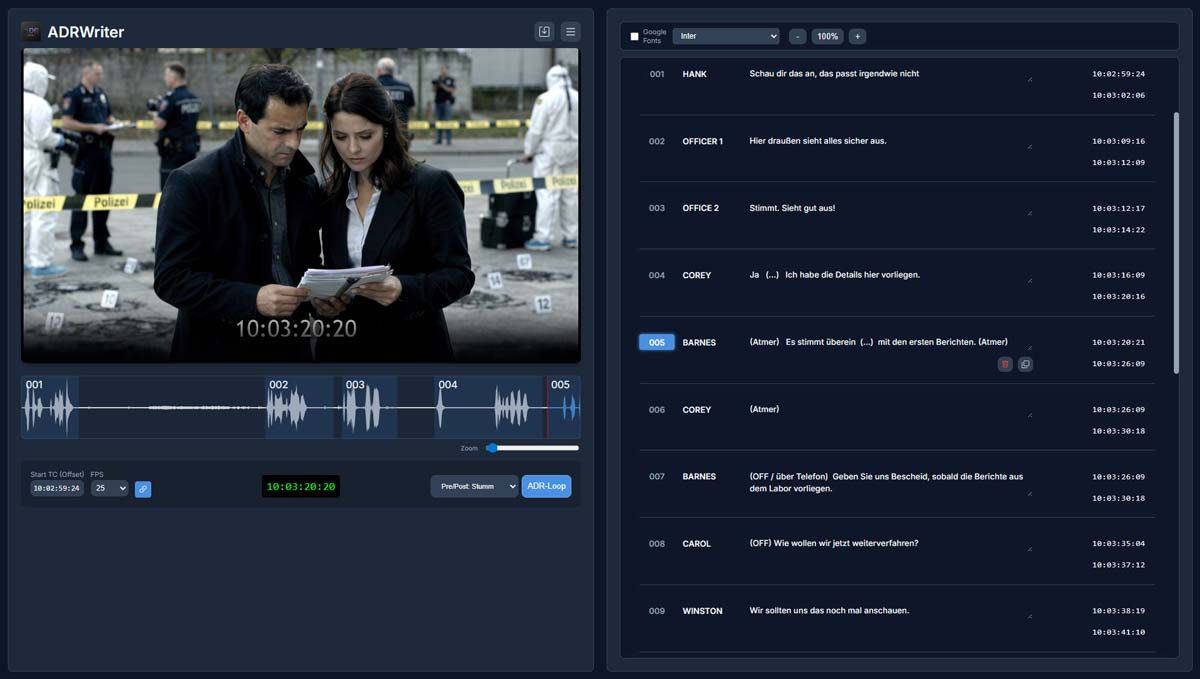
Streamlined for Speed. Built for Professionals.

ADRWriter Interface

Optimized for Chrome, Edge, and Firefox. Safari is supported but requires H.264 video files.

ADRWriter: The Smart Workstation for Dialogue and Dubbing.

What is ADRWriter?

ADRWriter is a specialized web app that digitalizes and simplifies the entire process of dubbing script creation. It was specifically developed for the high demands of dialogue authors and dubbing studios, to bridge the gap between creative writing and technical precision.

Maximum Security: 100% Local.

In an industry where confidentiality (NDA) is the top priority, ADRWriter offers a decisive advantage: all data remains on the local machine. Although it runs in the browser, the tool works entirely locally. Neither video files nor scripts are uploaded to a cloud or stored on external servers. This guarantees full data sovereignty with maximum convenience.

For Dialogue Authors

Your focus belongs to the language. ADRWriter is your smart workstation, combining creative writing and technical precision. Write your dialogue directly to picture, without juggling between programs. Since ADRWriter works 100% locally in your browser, your scripts and videos stay exactly where they belong: safely on your machine.

  • Intuitive Writing at Picture: Video player and script editor work in perfect sync for an uninterrupted workflow.
  • Maximum Focus: Dark Mode and distraction-free UI keep your attention on lip-sync accuracy.
  • Speed through Shortcuts: Control spotting and navigation at lightning speed via keyboard – including autocomplete for character names.
  • Instant Review: Select a take and the video jumps instantly to its start position. The "Script follows Video" mode keeps you oriented during playback at all times.
  • Smart Spotting: Set in and out points precisely at the touch of a key while staying fully focused on the performance.
  • Seamless Handover: Deliver native project data to the studio for the fastest possible turnaround – or export perfectly formatted, editable Word documents (.docx) for editorial review.

For Dubbing Studios

Full control & maximum flexibility. ADRWriter is the tool for flawless technical preparation and execution. Maintain full sovereignty over your projects and benefit from a workflow that adapts to your needs – not the other way around. Thanks to 100% local processing in the browser, you meet the highest security standards (NDAs), as no sensitive video data or scripts ever touch a cloud.

  • Versatile Import: Take over native project data directly from authors for the fastest possible processing, or import existing Word and PDF documents to instantly convert them into the efficient ADRWriter format.
  • Maximum Editability: You're in control. Adapt projects flexibly to your recording session: reorganize takes, correct in and out points, copy, delete, or split takes.
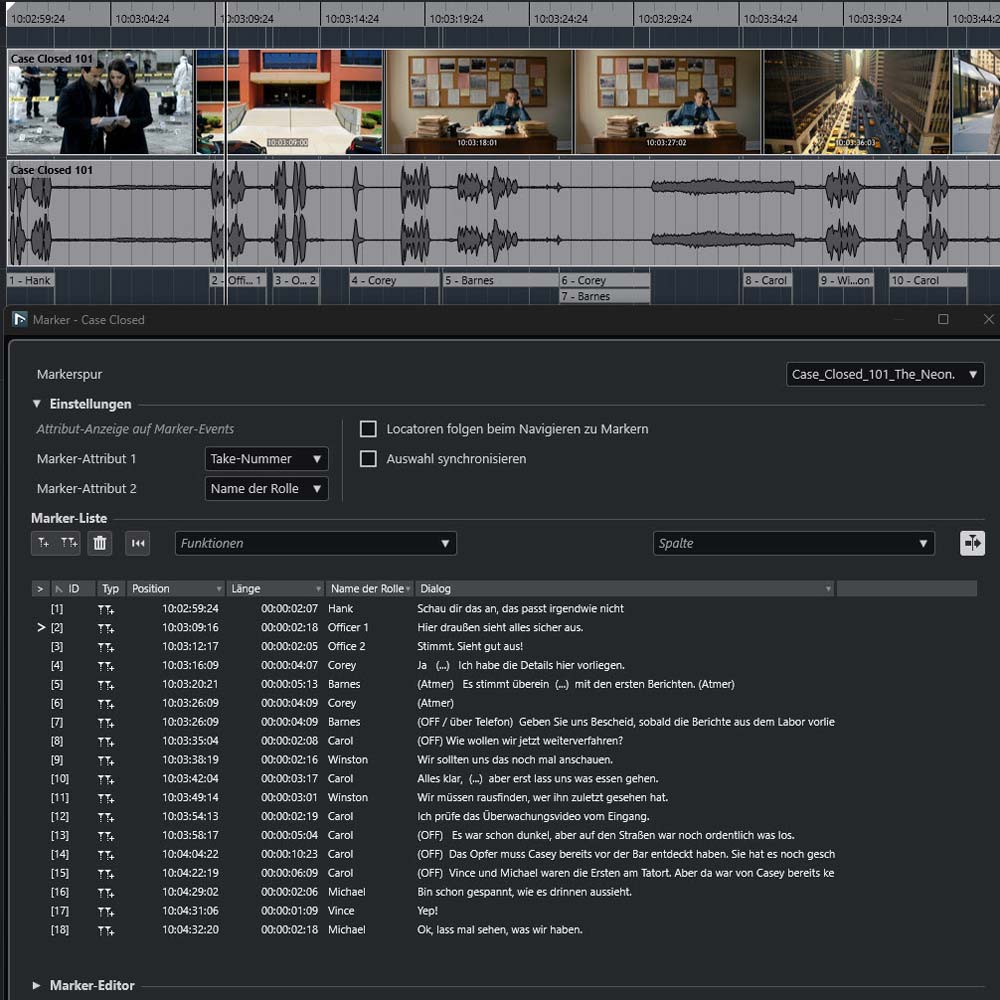
  • Seamless DAW Import: Export frame-accurate CSV take data for direct import into Nuendo and other DAWs – for a smooth transition to recording.
  • Studio-Ready PDF & Word: Generate professionally formatted scripts for voice actors and directors at the push of a button. Export editable Word documents to adapt them to in-house standards.
  • Platform-Independent & Barrier-Free: No installation, no updates. ADRWriter runs instantly on any operating system (Mac, PC, Linux) directly in the browser – ideal for changing workstations and remote collaborators.

All Tools for the Perfect ADR Workflow

Precision Spotting

Frame-accurate spotting with a fully integrated video player and a waveform visualizer for perfect synchronization.

Video-Script Sync

Seamless navigation: The script automatically follows video playback, and clicking the text jumps the video to the start of the take.

Role Autocomplete

Work efficiently: The editor saves your character names and auto-suggests them when creating new takes.

Smart Renumbering

Stay organized: When adding or removing takes, all numbers are automatically recalculated to keep your list error-free.

PDF Export

Generate industry-standard PDF scripts that are ready for immediate use in the recording studio.

DOCX Export

Export the dialogue script as an editable Word document (.docx) – ideal for editorial reviews or adapting to in-house formatting standards.

Smart Text Import

Import existing texts and automatically convert them to the ADRWriter format – for a quick start without manual re-entry.

Recording-Ready Take Lists

Export production-ready CSV files for major DAWs to streamline your post-production workflow.

Studio Taker Mode

Professional playback simulation with pre-roll, visual streamers, and cues – ready for the recording booth.

Keyboard Driven

Built for speed. Control spotting, playback, and editing entirely via keyboard shortcuts.

Director's Notes

Add context where it matters. Insert director comments directly between dialogue lines.

Light & Dark Mode

Adapt to your environment. Switch instantly between a clear light interface or a dark mode optimized for studios.

Custom Typography

Read comfortably. Choose from Google Fonts and dynamically adjust text size to suit your preference.

Comprehensive Manual

All features explained in detail: The integrated online help provides quick answers directly in the app – no lengthy web searches needed.

100% Data Privacy

Your media stays yours. All files are stored locally on your device – no cloud uploads, 100% secure.

Ready to get started?

Try ADRWriter for free – no installation, no credit card required.

Start for Free

Interface available in: German and English

Easy Export to Professional Formats

From finished dialogue script to recording-ready take list – ADRWriter delivers data in exactly the format you need.

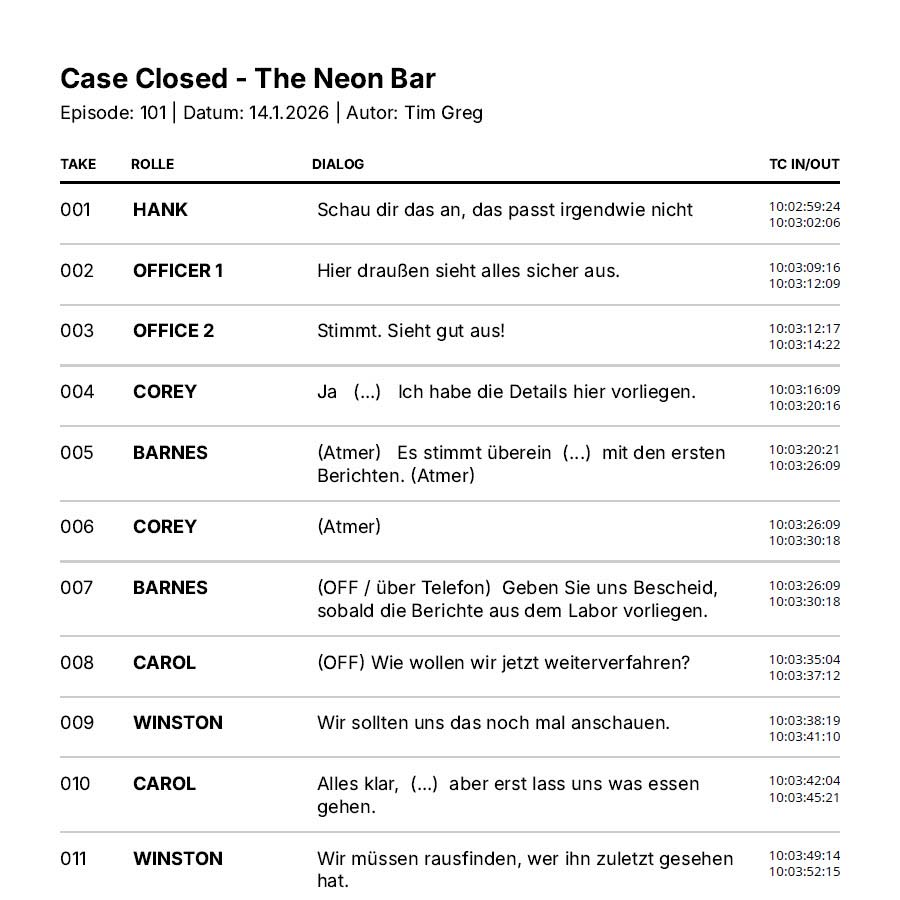
PDF Dialogue Script Preview

PDF Export

Industry-standard dialogue script layout with take number, role, timecode, and text – print-ready and immediately usable in the recording studio.

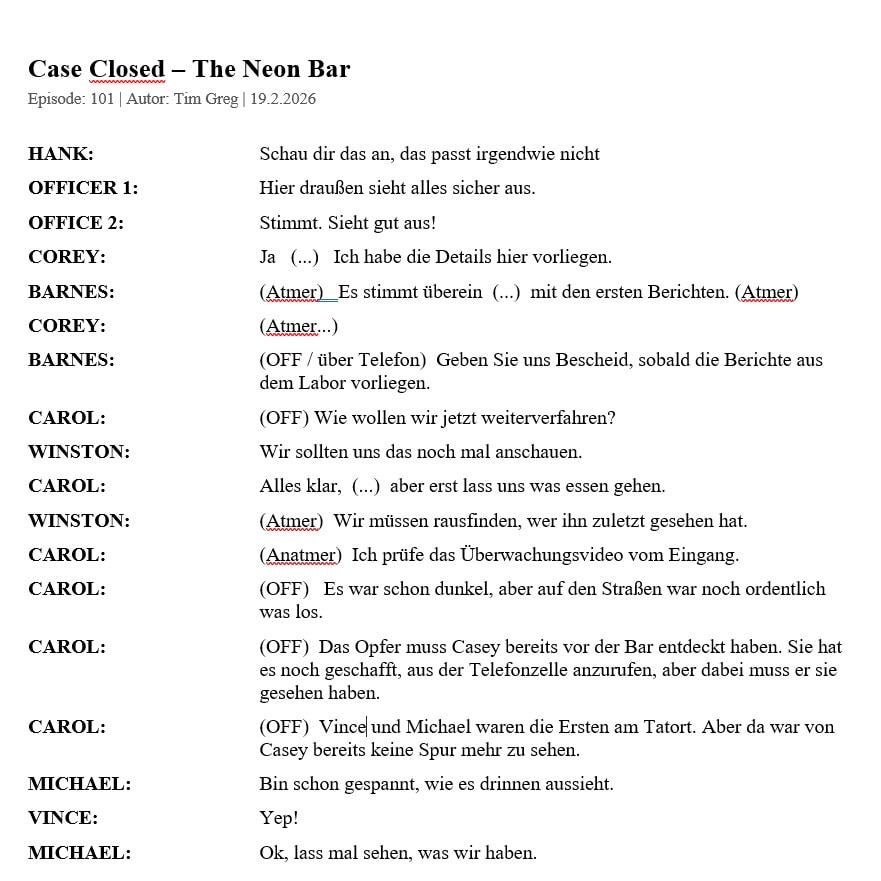
DOCX Export Preview

DOCX Export

Fully editable Word document (.docx) – ideal for editorial reviews, proofreading passes, or adapting to in-house formatting standards.

CSV Take List in Nuendo

CSV Take List Export

Frame-accurate take data in CSV format for direct import into Nuendo, Pro Tools, and other DAWs – for a smooth transition from preparation to recording.
Frequently Asked Questions

What exactly is ADRWriter?
ADRWriter is a professional online tool for dialogue spotting and ADR (Automated Dialogue Replacement). It combines video playback, word processing, and precise spotting in one interface, eliminating the need for separate software.
What technical requirements do I need?
ADRWriter is a desktop application for the web browser and runs on all common operating systems such as Windows, Mac, or Linux. For an optimal workflow, a screen with at least Full HD resolution (1920x1080) is recommended. In addition, a keyboard and mouse are required. The computer should be powerful enough to play videos smoothly. There are no other special hardware requirements.
Do I need to install software?
No, ADRWriter runs entirely in your web browser (we recommend Chrome, Edge, or Firefox). You don't need to install or download anything and always have access to the latest version.
Where is my data stored?
Your privacy is our top priority. All media files (videos) remain locally on your device and are not uploaded to the cloud. Project files and scripts are processed locally and are stored only on your computer.
Which video formats are supported?
ADRWriter supports all video formats that your browser can play. For the best performance and compatibility, we recommend MP4 files with the H.264 codec.
Which formats can be exported?
You can export your dialogue script as a professional PDF or as an editable Word document (DOCX). Additionally, export as a CSV take list for DAWs and as an ADRWriter project file (.adr) for backups and sharing are available.
Can I try ADRWriter for free?
Yes! There is a permanently free Basic version ("Free") with which you can test the editor and work on smaller projects (up to 20 takes). For unlimited takes and pro features, there is the Pro subscription.
How can I cancel my subscription?
You can manage and cancel your subscription at any time in your account settings. After cancellation, you will retain access to Pro features until the end of the current billing period.

Simple Pricing

Free

€0
  • Basic Editor
  • Test Mode
  • Up to 20 Takes
Try for Free

Pro Monthly

€29/month
Per User
  • Save & Load Projects
  • Import Documents
  • Export Documents
  • Automatic Take Lists
  • Unlimited Takes
  • Priority Support
Start

Pro Yearly

(Save 43%)
€199/year
Per User
  • Save & Load Projects
  • Import Documents
  • Export Documents
  • Automatic Take Lists
  • Unlimited Takes
  • Priority Support
Start